

The admin setup only needs to happen once per Slack workspace. After it is complete, any member of the workspace can start using GAssist.
Garth admin
Garth admin setup
Install GAssist into your Slack workspace. Required once, before members can use GAssist.
Workspace members
Once your Garth admin has installed GAssist, open it in Slack to start managing your pull requests.1
Open GAssist
Search for GAssist in the Slack search bar, or go to Tools > Apps, select GAssist, and choose Open App.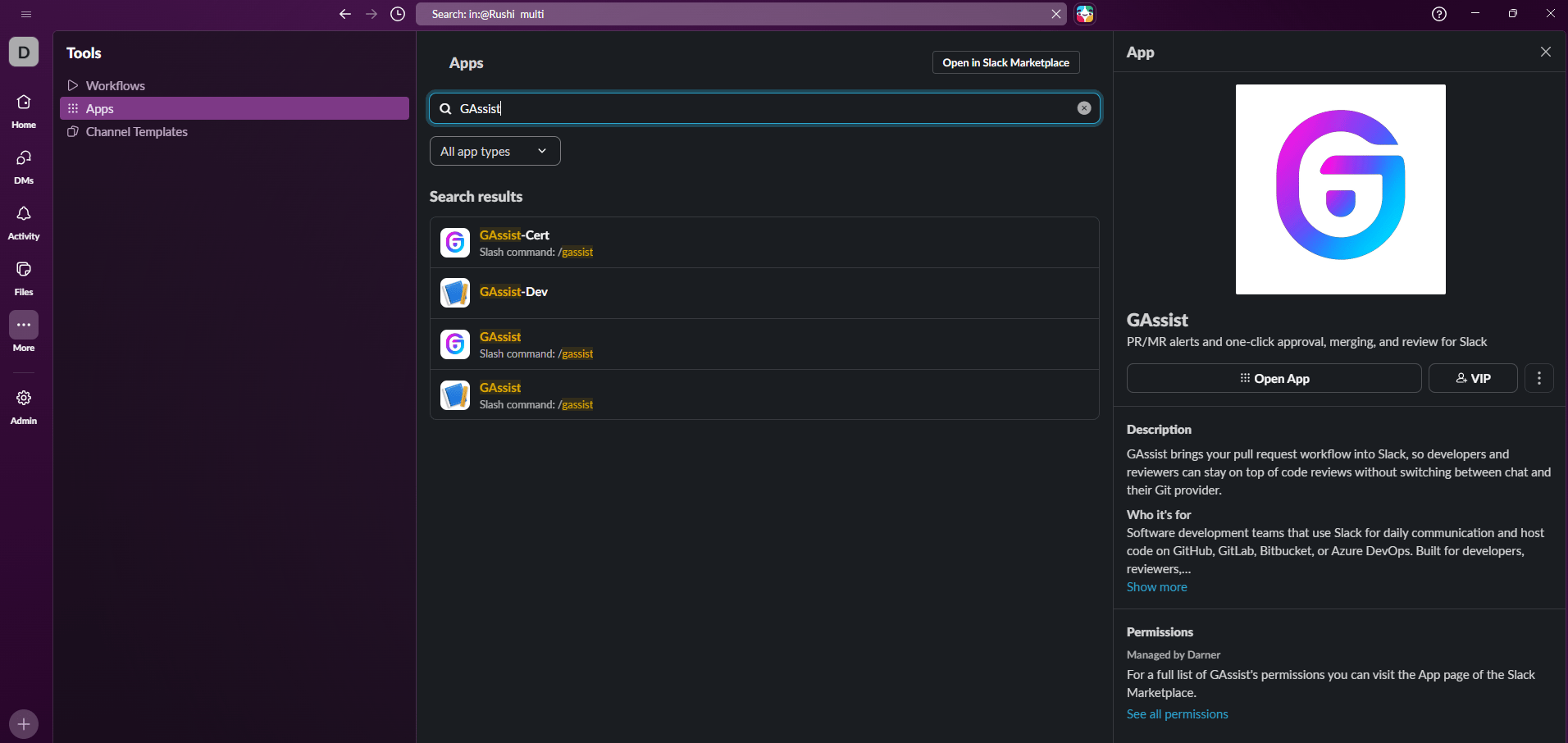
2
Start a conversation
Open a direct message with GAssist and start a conversation. Type
/gassist help to see all available commands.3
Link your Git account
The first time you run a command, GAssist prompts you to connect your Git account. Select your provider — GitHub, Bitbucket, GitLab, or Azure DevOps — to complete the OAuth sign-in. This is required to receive alerts and act on pull requests.